Screenshots with the sensitive parts already gone.
Cloakshot blacks out emails, phone numbers, card numbers, national IDs, API keys and IP addresses before the screenshot is taken. One click, nothing to upload, nothing to remember.
Now in the Chrome Web Store. Works in Chrome, Edge and Brave. No account. No data leaves your browser.
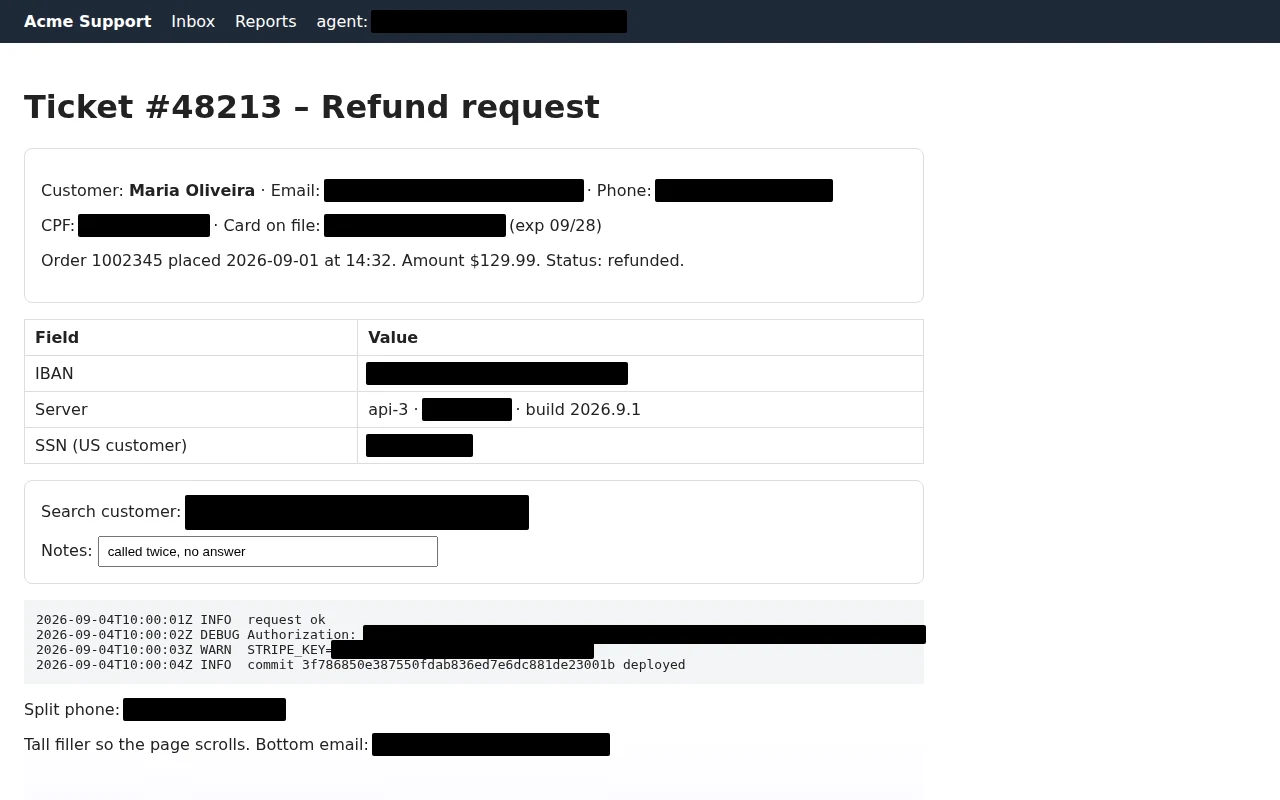
Made for people who share screens for a living
Support agents, developers, finance and HR teams, lawyers, recruiters: anyone who pastes screenshots into tickets, chats, docs and bug reports, and can't afford to leak a customer's data.
Detects the risky stuff automatically
Pattern matching with real validation: Luhn for cards, check digits for CPF/CNPJ, mod‑97 for IBAN, known token shapes for API keys and JWTs, plus password= style secrets in logs.
Redacted before capture, not after
Cloakshot covers the text on the page itself, then takes the shot. The raw pixels never exist, so there is nothing to recover from the image, ever.
Nothing leaves your browser
No accounts, no uploads, no analytics, no cloud OCR. Detection, capture and editing run on your device. The only network request is optional license activation.
How it works
Three ways in, one clean image out.
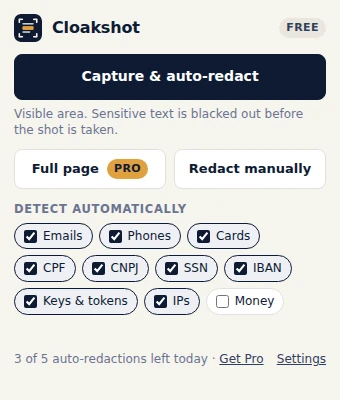
Click or press Alt+Shift+S
Capture the visible area with auto-redaction, capture the full page, or pick what to detect.
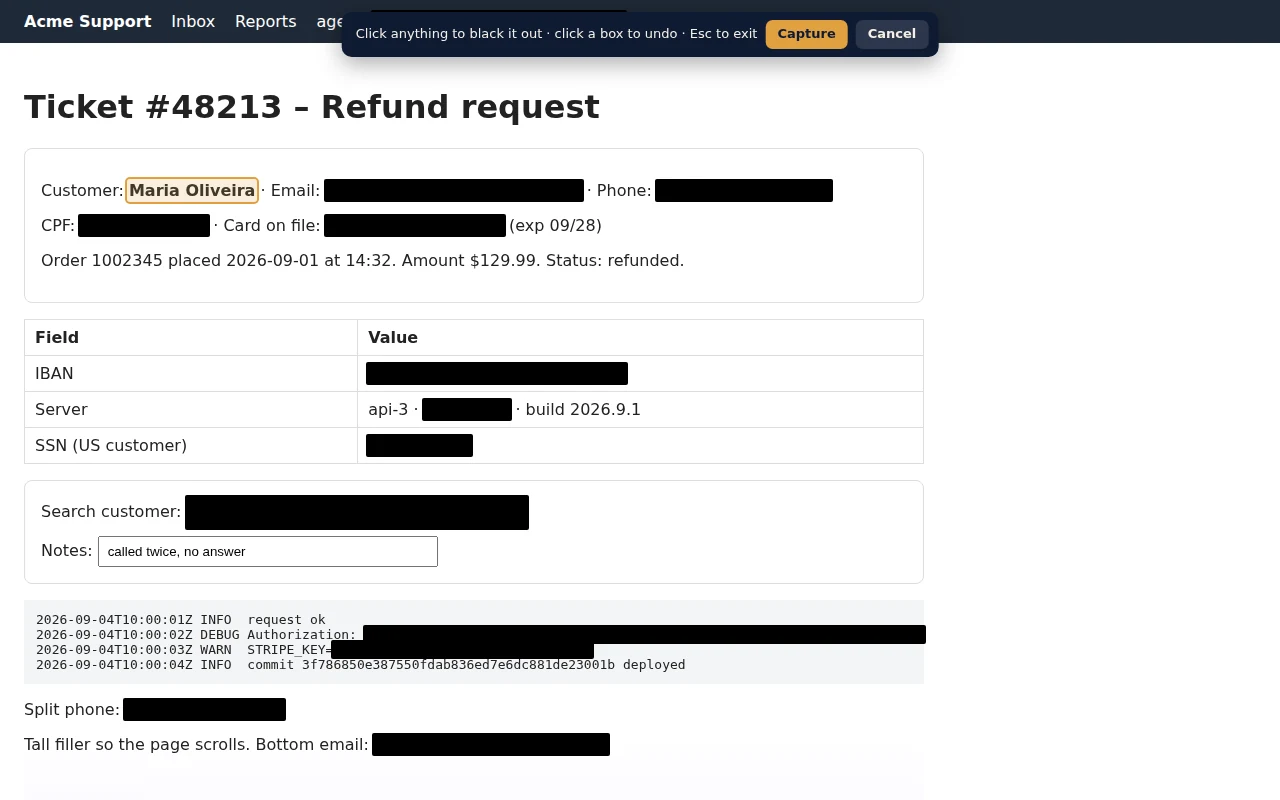
Missed something? Click it
Manual mode lets you black out any element or word by clicking it. Click a box to undo.
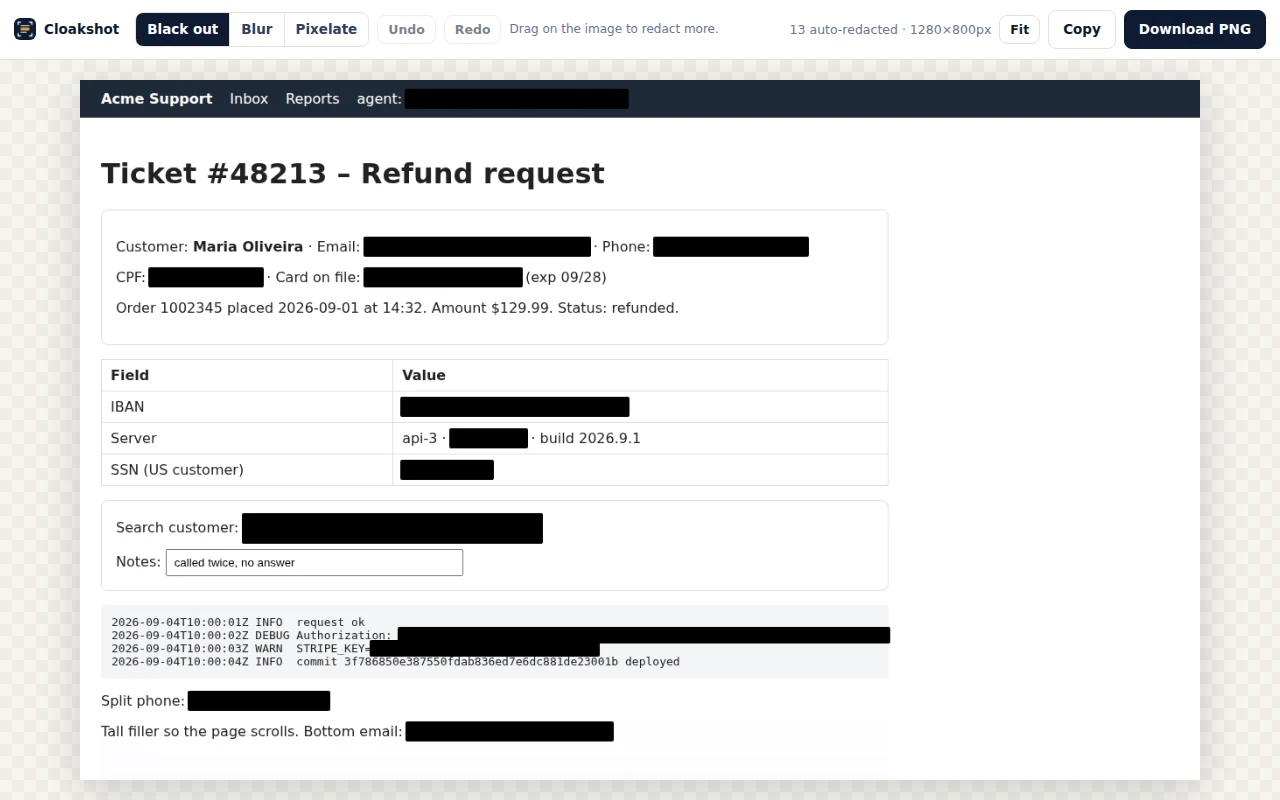
Review, copy, download
Drag to black out, blur or pixelate anything else. Copy to clipboard or save a PNG.
Pricing
Free for occasional use. Pro is a one-time payment: no subscription, lifetime updates for v1.
- Unlimited captures
- Unlimited manual redaction
- Automatic detection on 5 captures per day
- Editor: black out, blur, pixelate
- Unlimited automatic detection
- Full-page capture
- Your own keywords and regex patterns
- License for 3 browsers
- 14-day money-back guarantee
- Everything in Personal
- 10 seats, one license key
- Invoice with your company details
- Priority email support
Payments, invoices and taxes are handled by our payment provider (merchant of record). Prices in USD; local taxes may apply at checkout. Your license key arrives by email within a minute. Brazilian companies: write to us for an invoice in BRL with nota fiscal.
Why "before capture" matters
Most redaction tools blur pixels after the fact. Blur can be reversed, boxes get forgotten, and the unredacted original still sits in your clipboard history or Downloads folder. Cloakshot covers the text on the page first, so the sensitive pixels are never rendered into an image at all. Solid black, by default, because solid black is the only mask that cannot be undone.
Questions
Does it work on every website?
On any normal web page, including web apps like CRMs, help desks, admin panels and dashboards. Browser-internal pages (chrome://…) and the Chrome Web Store are protected by Chrome itself and can't be captured by any extension. Text inside images or cross-origin iframes isn't scanned automatically; use manual mode for those.
What exactly gets detected?
Email addresses, phone numbers (international formats), credit and debit card numbers (validated with Luhn and issuer prefixes), Brazilian CPF and CNPJ (with check digits), US Social Security numbers, IBANs (mod‑97), API keys and tokens from AWS, Stripe, OpenAI, Anthropic, GitHub, GitLab, Slack, Google, SendGrid and npm, JWTs, bearer tokens, private key blocks, password=/token= style values, IPv4 and IPv6 addresses, and optionally money amounts. Pro adds your own keywords (names, company names) and regular expressions. Names and street addresses are not detected automatically in this version.
Does anything leave my browser?
No. Page content, screenshots and detections are processed locally and never uploaded. There are no analytics. The only network request the extension ever makes is license activation and periodic validation with the payment provider, if you use a Pro key; that request contains the key and a label like "Chrome on Windows".
Is a black box really unrecoverable?
Yes. The box is drawn over the page before the pixels are captured, so the image never contained the text. Blur and pixelation in the editor are applied to the captured image and are meant for aesthetics, not security; for anything sensitive, use black.
Firefox and Edge?
Edge and Brave install from the Chrome Web Store today. A Firefox version is planned.
Refunds?
14 days, no questions asked. Reply to your receipt email.